Code Navigation
Navigate, understand, and refactor SQL with IDE-level tooling.
Go to Definition
Jump to where a symbol is defined.
| Action | Shortcut |
|---|---|
| Go to Definition | F12 or Cmd/Ctrl+Click |
Works with: CTEs, table aliases, column aliases, schema tables/columns
WITH user_stats AS (...)    -- F12 on "user_stats" below jumps here
SELECT * FROM user_stats
Find References
Find all usages of a symbol.
| Action | Shortcut |
|---|---|
| Find References | Shift+F12 |
Works with: CTEs, table aliases, column aliases (local symbols only)
WITH user_stats AS (...)      -- Definition
SELECT * FROM user_stats      -- Reference 1
UNION ALL
SELECT * FROM user_stats      -- Reference 2
Shift+F12 on user_stats shows all 3 locations.
Hover Tooltips
Hover over any identifier to see type information.
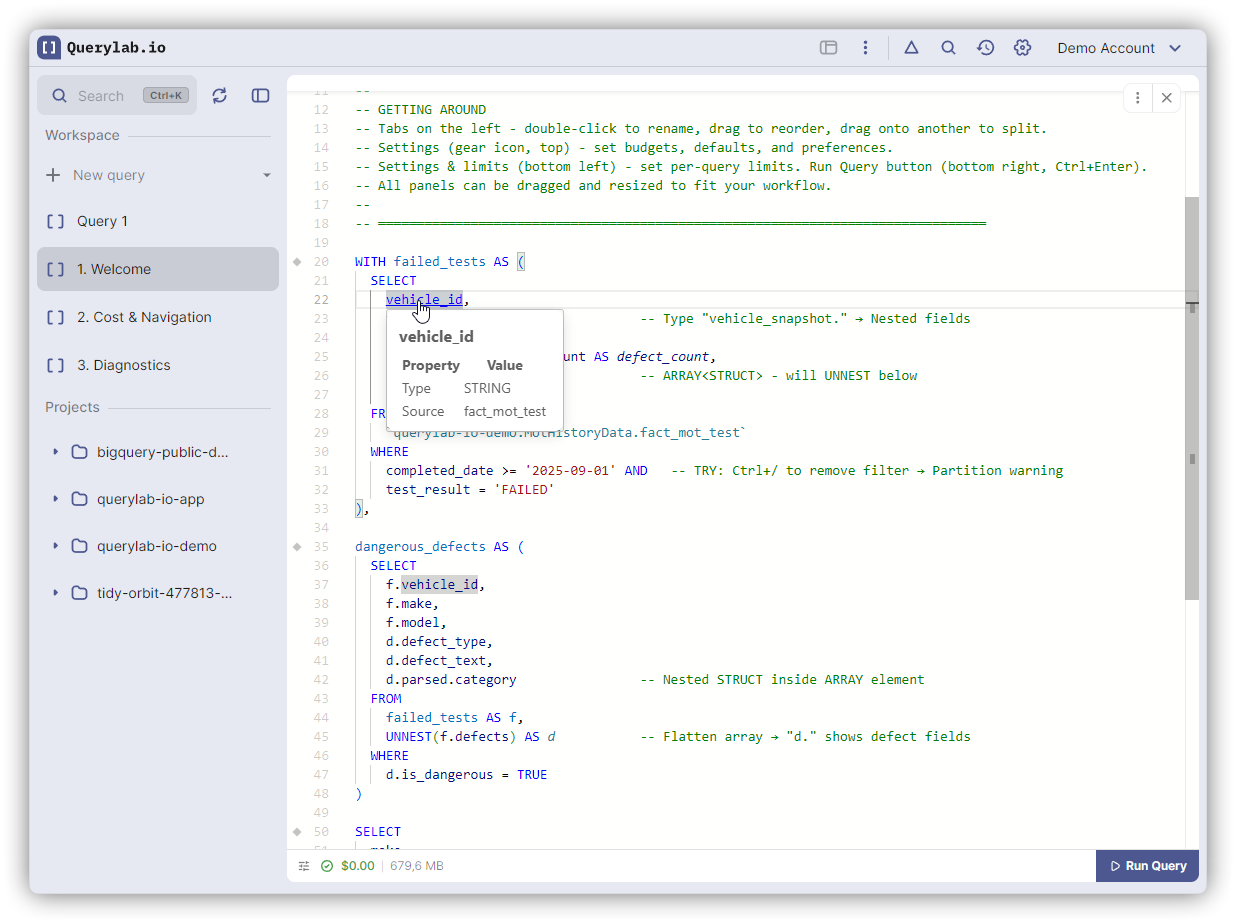
Shows:
- Column type and source table
- CTE columns and definition location
- Table alias resolution
- Function signatures
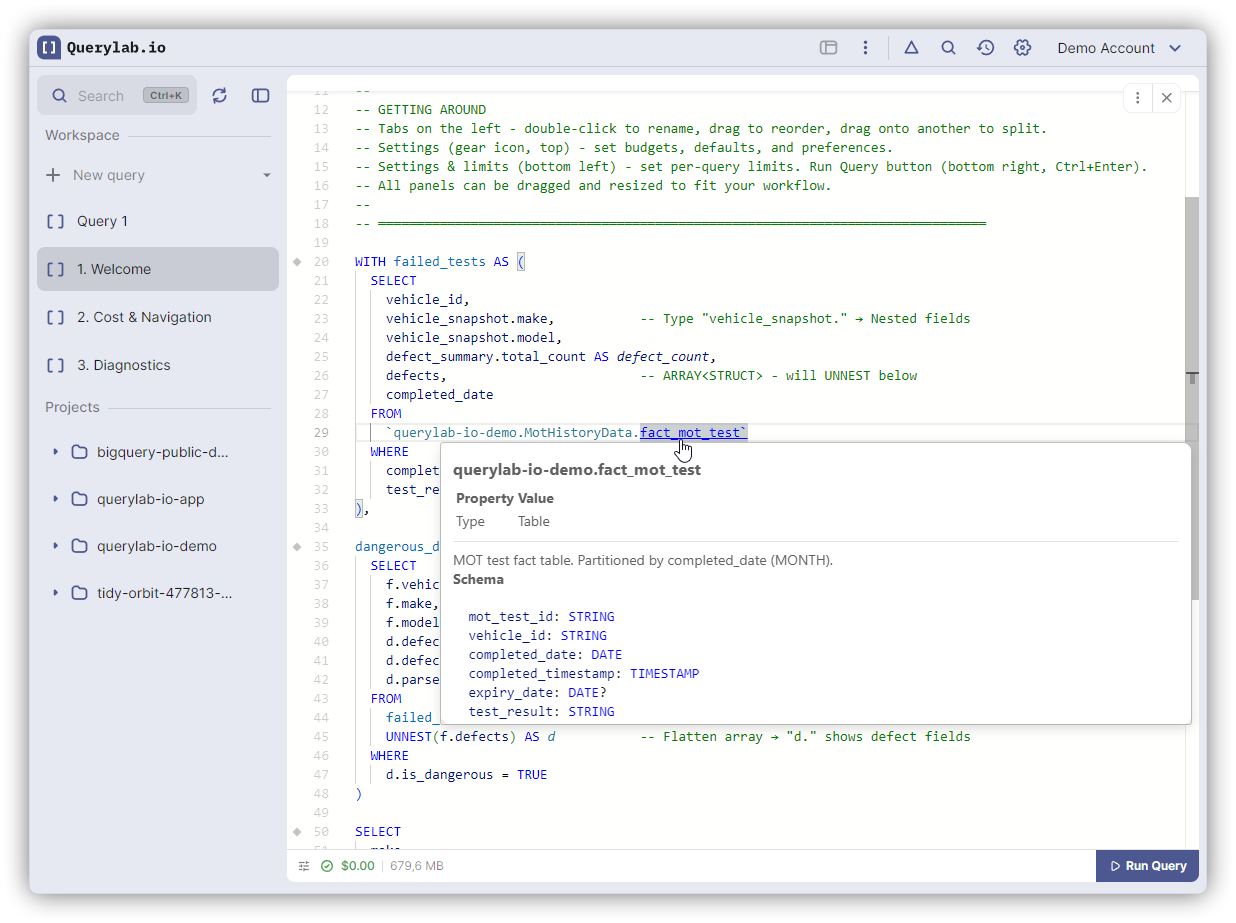
SELECT user_id    -- Hover: INT64, Source: users
FROM users u      -- Hover on "u": Alias for users
Inlay Hints
Inline annotations that clarify numeric positions and GROUP BY ALL.
Appears for:
- GROUP BY 1, 2 → shows
← column_name - ORDER BY 1 DESC → shows
← column_name - GROUP BY ALL → shows all grouped columns
- Window frames → shows row count
SELECT user_id, status, COUNT(*)
GROUP BY 1, 2          -- Shows: 1← user_id, 2← status
ORDER BY 3 DESC        -- Shows: 3← COUNT(*)
Inlay hints are always visible (no hover needed).
What Can Be Navigated
| Symbol Type | Go to Def | Find Refs |
|---|---|---|
| CTEs | Yes | Yes |
| Table aliases | Yes | Yes |
| Column aliases | Yes | Yes |
| Schema tables | Yes | No |
| Schema columns | Yes | No |
| Functions | No | No |