Time Travel
View historical data snapshots using BigQuery's Time Travel feature.
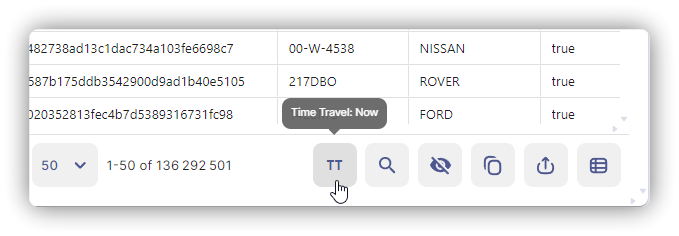
What It Does
Query data as it existed at a specific point in the past (up to 7 days).
Use cases: Recover deleted data, audit changes, debug historical issues
Accessing Time Travel
- Open table → Preview tab
- Click Time Travel button (TT)
- Select time: Now, 1h ago, 6h ago, 1 day, 3 days, 7 days, or Custom
Banner shows: "Viewing data as of YYYY-MM-DD HH:MM:SS"
Time Travel Window
- Default: 7 days
- Configurable: 2-7 days per table
- Not supported: Views, external tables
Query Syntax
Absolute time:
SELECT * FROM `project.dataset.table`
FOR SYSTEM_TIME AS OF TIMESTAMP('2025-01-10 14:30:00 UTC')
Relative time:
SELECT * FROM `project.dataset.table`
FOR SYSTEM_TIME AS OF TIMESTAMP_SUB(CURRENT_TIMESTAMP(), INTERVAL 1 DAY)
Recovering Deleted Data
INSERT INTO `project.dataset.table`
SELECT *
FROM `project.dataset.table`
FOR SYSTEM_TIME AS OF TIMESTAMP_SUB(CURRENT_TIMESTAMP(), INTERVAL 3 HOUR)
WHERE id IN (12345, 67890)
Limitations
- Cannot query beyond Time Travel window
- Each table has independent snapshots (no cross-table consistency)
- Deleted tables: recoverable for 7 days via support